
Contents

According to Sony, “Lossless compression is a popular format that allows you to reduce image size without compromising on quality.” which begs the question – why bother shooting in uncompressed raw at all? Don’t bother is the short answer to that. Ha!
So, if you’re curious about the differences between them, let’s compare uncompressed raw, lossless-compressed raw, and compressed raw files.
To set the record straight, I shoot compressed raw on my Fujifilm X-T5. This is because it’s the best combination of file size and file data to meet my needs, which I’ll explain later in this post. Peppered throughout the post are some pictures to make it more visually pleasing, none of which are uncompressed raw. Before we get into why I shoot in compressed raw, here is a side-by-side comparison of the three raw files from my X-T5.


To compare the files as closely as possible, this flower was captured in each raw format using the same camera settings. They have also been batch-processed with the identical Adobe Camera Raw (ACR) adjustments, as shown below. Because image dimensions are reduced for the web, you will find download links below to view the adjusted files only, as WordPress won’t allow uploading Fujifilm raw files.
_________________
Raw compressions:
Shot 1: Uncompressed – 81.04 MB
Shot 2: Lossless Compressed – 38.03 MB
Shot 3: Compressed – 26.06 MB
_________________
Camera settings:
White balance – 4600k
Aperture – f/2.4
Shutter speed – 1/30 sec
ISO – 200
Lens – Fujifilm 60mm Macro
________________
Downloads:
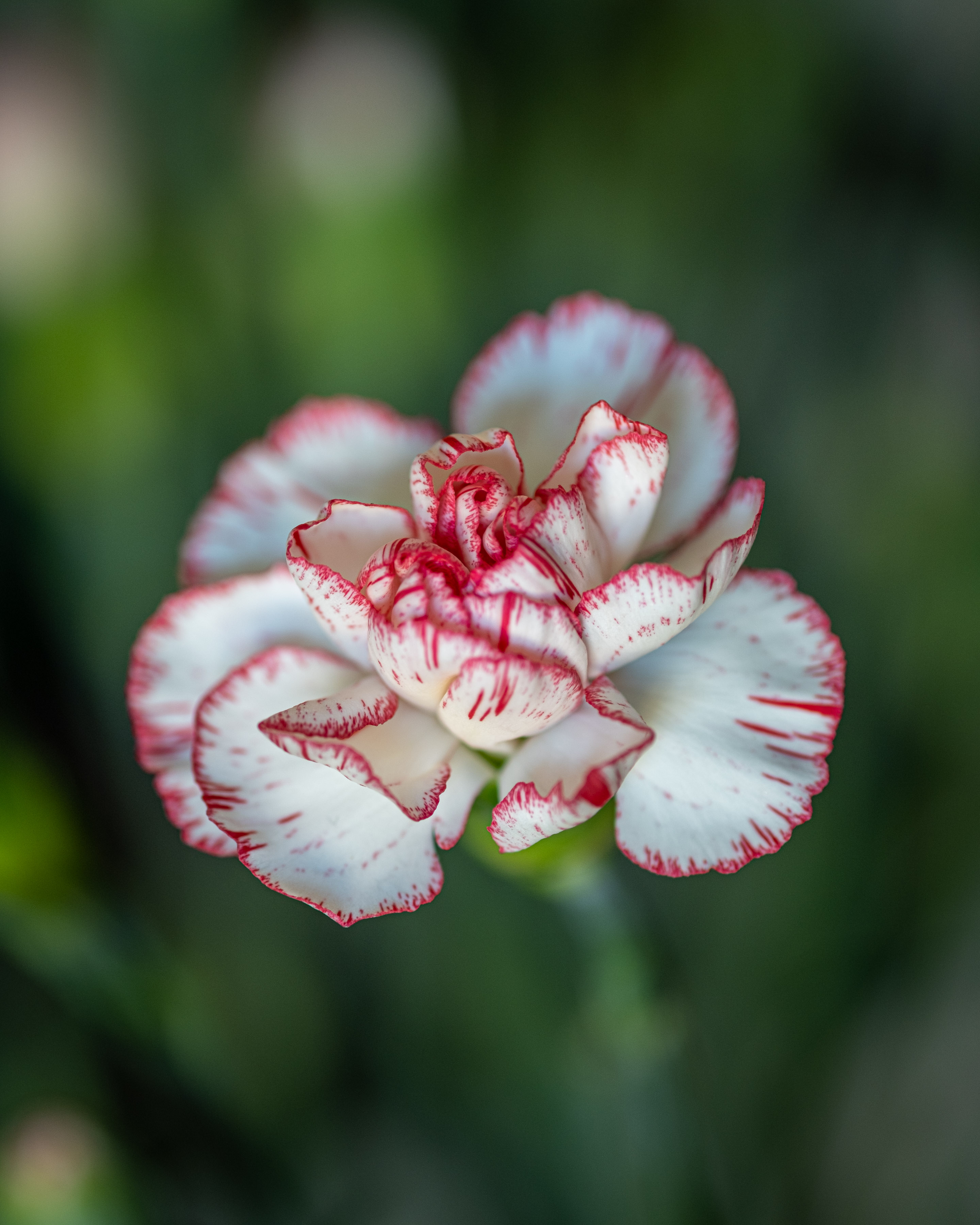
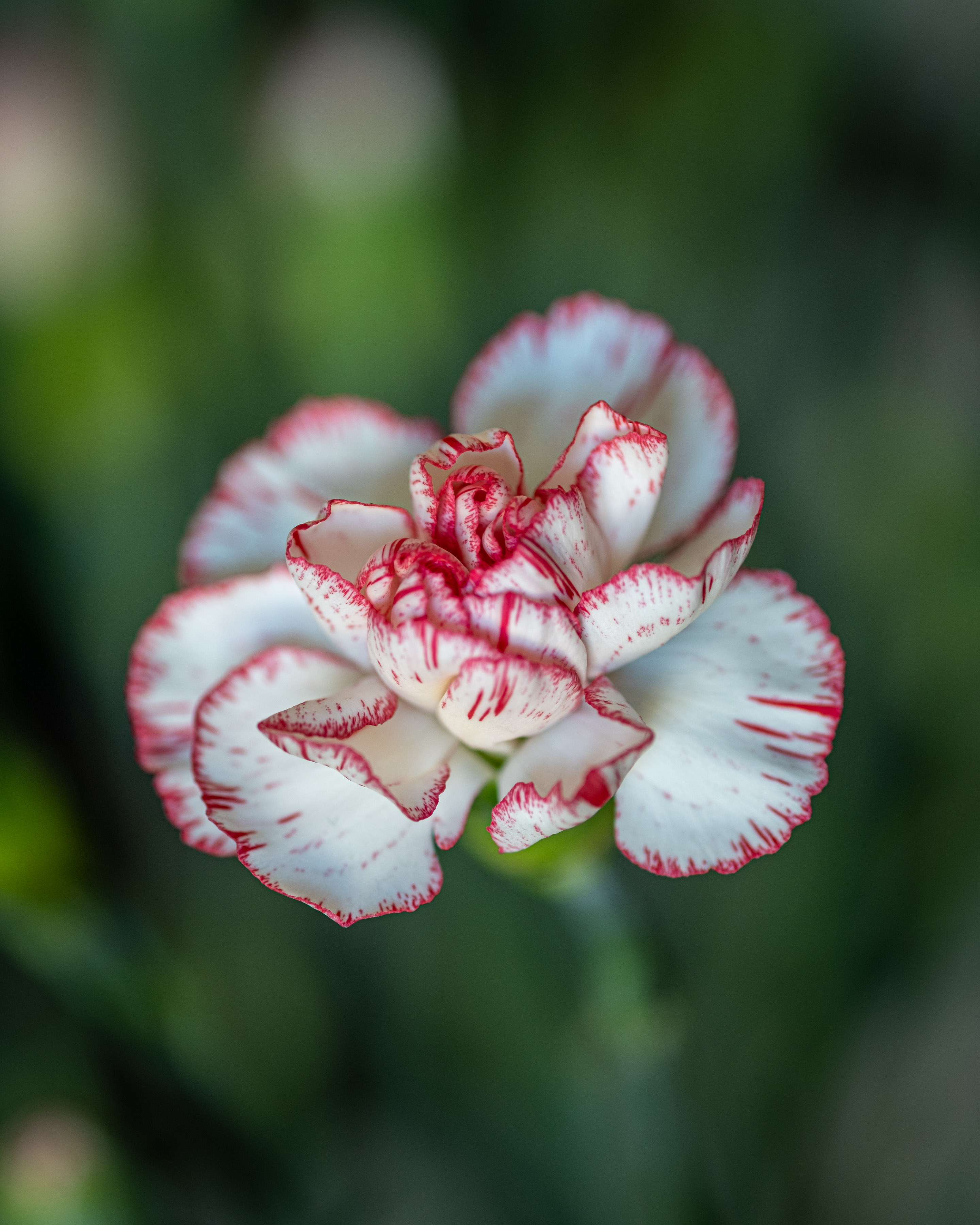
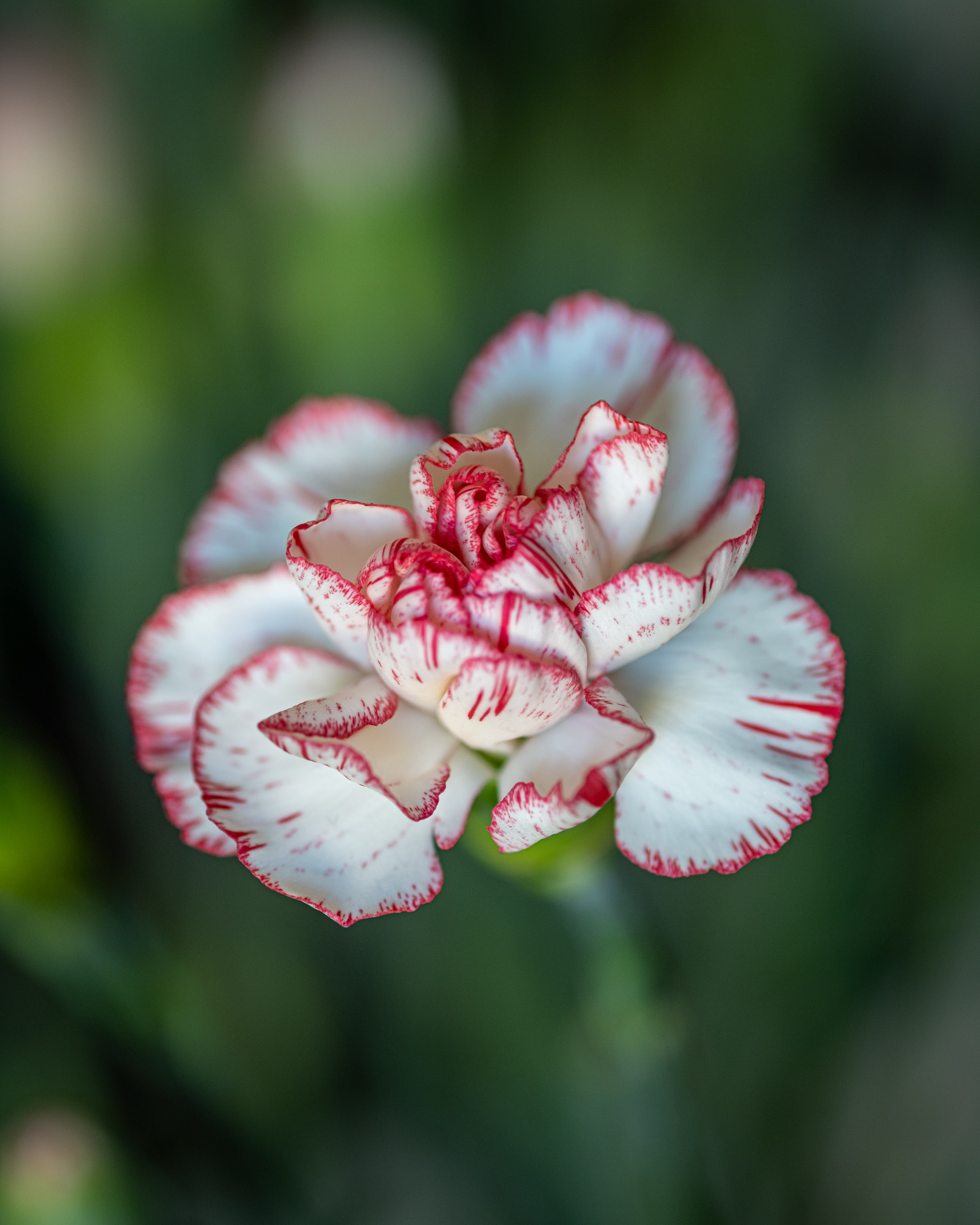


There are two differences between the files. The file sizes differ significantly, but the original files do not appear to differ. The compressed raw file is less than 1/3rd of the size of the uncompressed file, and the lossless compressed file is under 1/2 the size, and there is next to no difference between the pictures produced.
Once I applied the adjustments in ACR, the differences remained as insignificant as the originals, which is no surprise. The test wasn’t to see if I could replicate a file I preferred; it was to see if there was a difference between the files, which there is: a size difference and minor differences in the images. I have no preference between the output shots because the differences are so minor, but I have no doubt it would be possible to match the one you preferred.

2 Reasons to Shoot Compressed Raw
Raw is intertwined with our human needs. We have this insatiable appetite for preservation. We don’t like to get rid of things, and we appreciate the idea of preserving everything we can, even if it has no practical benefit. So, is it time you considered shooting compressed raw? Here are two reasons you might want to.

1 | The Perfect Blend of JPEG and Raw
I never used to shoot raw until I started to take travel photography seriously. I found that shooting raw never offered sufficient benefits over JPEG for the amount of content I was creating on my own, which wasn’t much. JPEG was adequate for my needs. And it still would be if I weren’t shooting tons more imagery. Shooting in a raw format is about more than quality or detail, or how much I can edit a file (because there isn’t much difference, believe it or not). It’s far more straightforward than that.
When I started shooting a lot more travel photography for this blog, I wanted to match colour temperatures and other settings across several pictures, which is where the raw files came in handy. That’s because it’s possible to match Kelvin values in the edit, whereas you can’t match them in the JPEG files. But apart from that, a JPEG file met my needs; they are still highly editable, despite what people tell you. Go and test it for yourself and find out. You’ll see that a JPEG file can perform well.
Anyway, fast forward to the X-T5, and I found the raw files are insanely big – upwards of 80 MB for an average file. The files are enormous and take up too much space on my Mac and in my online storage, which I prefer not to have. Then there appeared to be a better solution – shooting compressed raw. It gives me all the flexibility of a raw file while keeping the file size to less than half. Perfect, right? Do they have a third of the detail? No, of course not.
The compressed raw files offer the perfect balance between JPEG and raw files – they are small, like JPEGS, but provide the extra flexibility to adjust the things I’m interested in to match files, such as white balance. JPEGs are overlooked and underrated, and in many cases, they are excellent. For me, they lack one crucial factor: control over white balance, and, more importantly, the ability to match it between frames when I’ve shot in auto white balance (which I almost always do). I don’t particularly care that JPEGs don’t contain as many colours as raw files because, for the most part, they have enough.
This is where compressed raw files come in – they offer better file sizes, which I’ll talk about next, but offer the flexibility to adjust certain things better and have a greater bit depth if that’s something you’re concerned about.

2 | The File Sizes are Smaller
As you’ve seen, the file sizes are significantly smaller in both the lossless-compressed and compressed-raw files than in the uncompressed raw file, yet there is no significant difference in the output files. And back to Sony’s point – if lossless compressed raw enables you to reduce the file size without reducing the quality, then why bother wasting the storage space an uncompressed raw file consumes?
Storage is a concern for me. Storage costs money, even if it’s cheap. And the more data, the longer the transfer times between the camera, the laptop, and the cloud storage. As transfer speeds between the camera and the computer, and between the computer and the internet, improve, this problem degrades. Still, it seems like a waste of time, no matter how small, and of computer and cloud storage space to transfer and store uncompressed raw files when they offer no significant benefit over compressed raw files.
Finally, here are a few bullet points to summarise the fundamental differences between uncompressed raw and compressed raw files.

What are the differences between raw files?
- Uncompressed raw:
- An uncompressed raw file preserves all the data captured from the sensor.
- No file compression.
- Uncompressed raw produces the largest file sizes.
- Lossless compressed raw:
- Lossless compression reduces file size without compromising quality.
- The file is compressed and can be uncompressed, like a ZIP file.
- A lossless compressed image is processed by post-processing software.
- Smaller files than uncompressed raw, but larger than compressed raw.
- Compressed raw:
- Compressed raw removes some of the information in the file.
- A compressed raw file requires less storage space.
- Compressed raw formats can’t be decompressed, meaning they lose some data.
- Compressed raw produces the smallest file sizes of the three formats.

What’s the difference between uncompressed raw and compressed raw?
The difference between uncompressed raw and compressed raw is that uncompressed raw retains all information, whereas compressed raw discards some. In practice, the output file shows very little noticeable difference. However, there is a significant difference in the file sizes.
To keep up with our travels, please subscribe to our mailing list. We won’t spam you; we’ll only contact you with exciting news and new stuff! Enter your email in the box below and hit subscribe!

Would you recommend lossless compressed or compressed on your X-T5 ?
Hi Tom,
I’d recommend compressed. I highly doubt you’ll see a difference between them, nor will you be able to pull anything more from the files, and the lossless compressed will take up a considerable amount of extra storage space.